How a stranger on the bus found her secret Instagram
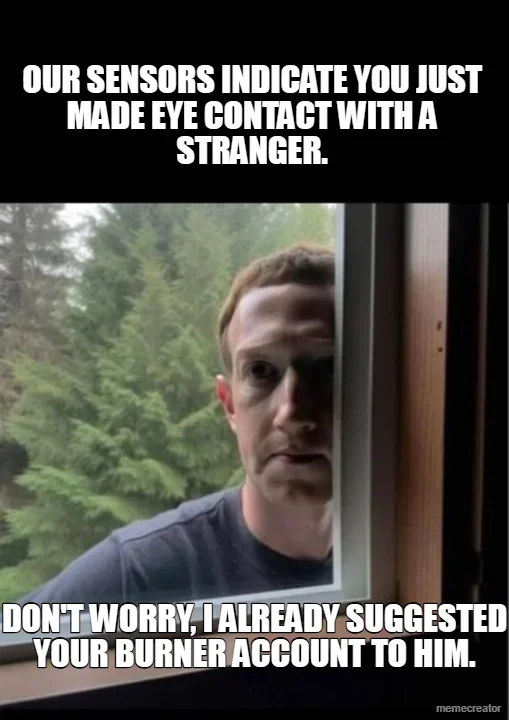
Last week a Reddit user described a small, deeply unsettling moment. A stranger sat near her on a bus, the two exchanged a glance, and by that evening the stranger had followed her on Instagram. Not the main account she posts from, but the burner: no real name, no profile photo, nothing that points back to her. She never told him her handle. She never even opened the app in front of him. Instagram served her up to him anyway.
If you have ever wondered how the app seems to know who you've met without ever searching for them, here is how.
What "People You May Know" is really up to
Instagram and Facebook share a feature usually labeled "People You May Know," or some version of "Suggested for you." It is the engine that surfaces accounts you never searched for, and it runs on a pile of data you probably forgot you handed over: phone contacts you synced once and never cleared, your linked Facebook account, mutual followers, places you have tagged, and (like on the bus) the networks and devices around you.
The security researchers who looked at this case were blunt about the mechanism. As one privacy expert told Cybernews, if you have not turned off location sharing and two people are on the same WiFi, Meta "has more than enough data to connect one person to the other." Sit on the same bus, hop on the same free WiFi, and the algorithm gets a fresh data point: these two phones keep landing in the same place at the same time.
The "burner" was probably never a burner
The expert's point was simple and a little brutal. The account she called a burner was probably never anonymous, because she had verified it with a phone number she uses everywhere else. A throwaway account stops being a throwaway the second you attach something real to it, a phone number, an email, even a contact list that has you in it. Meta does not need your name. It needs one thread that ties the account back to you, and most people hand that over during signup.
The part that makes people uneasy is that you do not have to upload your own contacts for this to work. Other people upload theirs, and your number is already sitting in plenty of their phones. So when a coworker, an old roommate, or the guy from the bus syncs his contacts, Meta has already matched that number to your account. You can keep your own settings locked down and still get connected through everybody else's address book.
Your phone gives things away in other ways too. Leave Bluetooth on and your device announces a name like "Jane's iPhone" to everything in range. You set that name years ago and forgot about it but your phone did not.
Here's what this means
Nobody hacked this woman. There was no breach and no stolen password. She got found by default settings, a synced contact list, and a phone number she reused, all of it working exactly the way it was built to. That is the pattern under almost every "how did they know" story. The data was already collected, sitting in a profile somewhere, waiting for a reason to connect two dots.
For a small business it scales up fast. If your shop's Instagram runs from the same phone, or the same contacts, as your personal accounts, then "the business" and "me" are the same person wearing two name tags. Something to think about before a cranky customer or a nosy competitor goes looking.
What to do
Turn off contact syncing and clear what is already uploaded. In the app, open your Accounts Center, then Contacts, then "Manage synced contacts." Removing old imports stops them from generating matches forever.
Set location sharing for the app to "never" or "while using." There is no reason Instagram needs your location running in the background at all times.
Stop reusing your real phone number on accounts meant to be separate. An account that is supposed to be anonymous cannot share a number, an email, or a contact list with the real you. A free Google Voice number is one easy way to get that separation. It is not truly anonymous (it is tied to your Google account, and some sites reject internet-based numbers), but it keeps your real cell number off your socials.
Be careful on public WiFi. Same network, same place, over and over is exactly the data these systems feed on. If you live on coffee-shop or transit WiFi, a VPN pulls a curtain over some of it.
Rename your Bluetooth devices. "Jane's iPhone" is a business card you did not mean to hand out, and as one United flight learned the hard way, a device name can turn a whole plane around.
None of this makes you invisible, and I am not going to pretend it does. Meta does not publish the full recipe for these suggestions, so anyone who tells you exactly which signal did it is guessing. You also probably do not want to quit Instagram over one creepy bus ride. The app is not magic, it's just very good at reading the trail of breadcrumbs you are leaving. Most of that trail you can sweep up in about ten minutes.
Joel
If you have any creepy or funny friend-suggestion stories, I'd love to hear them. Reach me at joel@freshfromcache.com.
Source: Cybernews, "Stranger danger? Here's how a random person on the bus can still find you on Instagram" (June 1, 2026).